How to Get Login and Password on RoboForex
To connect your RoboForex trading account, you need to open an account on the broker platform and obtain your login credentials. Follow the step-by-step instructions below.
Step 1: Register on RoboForex
- Go to my.roboforex.com and register.
- Click "Open an account" or "Register" to start the registration process.
- Fill in the registration form: enter your email, create a password, select your country.
- Confirm your email address by clicking the link sent to your inbox.
- Complete the verification process - upload your identity documents if required.
Tip: Make sure to use a valid email address, as all account credentials will be sent there.
Step 2: Open a Trading Account
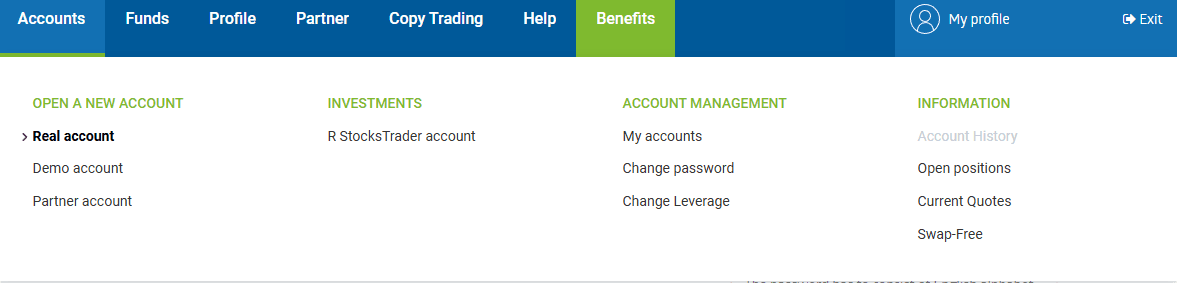
- After logging in, go to the "Accounts" section in your Members Area.
- Click "Open a new account" or "Real account".
- Select the Trading platform - MetaTrader 4.
Step 3: Choose Account Type
When opening an MT4 account, select one of the available account types:
- MT4 Pro - most popular account type, zero commission, floating spread from 1.3 pips, leverage up to 1:2000.
- MT4 ProCent - best for testing strategies and EAs, zero commission, floating spread from 1.3 pips, leverage up to 1:2000.
- MT4 ECN - expert choice with ultra-fast execution, floating spread from 0 pips, leverage up to 1:500.
- MT4 Prime - premium conditions with the best trading environment, floating spread from 0 pips, leverage up to 1:300.
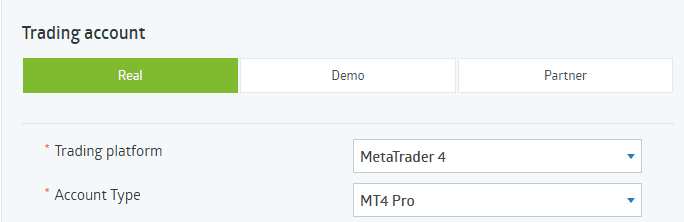
We recommend choosing MT4 Pro for most traders or MT4 ECN for advanced traders who need tighter spreads.
Step 4: Configure Account Settings
Set up the following parameters for your trading account:
- Currency - select USD as the account base currency.
- Leverage - choose between 1:100 and 1:200. We recommend 1:100 for a balanced risk approach or 1:200 if you need more flexibility.
- Swap-Free account - since February 2026, Full Swap-Free trading is available for all RoboForex clients. Enable this option to trade currencies and metals without overnight fees.

Do not set leverage higher than 1:200. Higher leverage significantly increases risk and may lead to rapid loss of funds.
Step 5: Set Password and Confirm
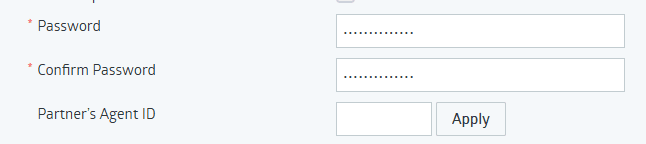
- Enter your desired trading password in the "Password" field.
- Re-enter the password in the "Confirm Password" field.
- Optionally, enter a Partner's Agent ID if you have one, and click "Apply".
- Click "Confirm" to create your trading account.
Save your password immediately. You will need it to connect your account to our service. If you lose it, you can reset it in the Members Area.
Step 6: Get Your Login Credentials
After the account is created, you will receive your trading credentials:
- Login (account number) - your unique MT4 account number (e.g., 24242458).
- Password - the password you set during account creation.
- Server - the MetaTrader 4 server address (e.g., RoboForex-Pro, RoboForex-ECN). The server name depends on your account type.
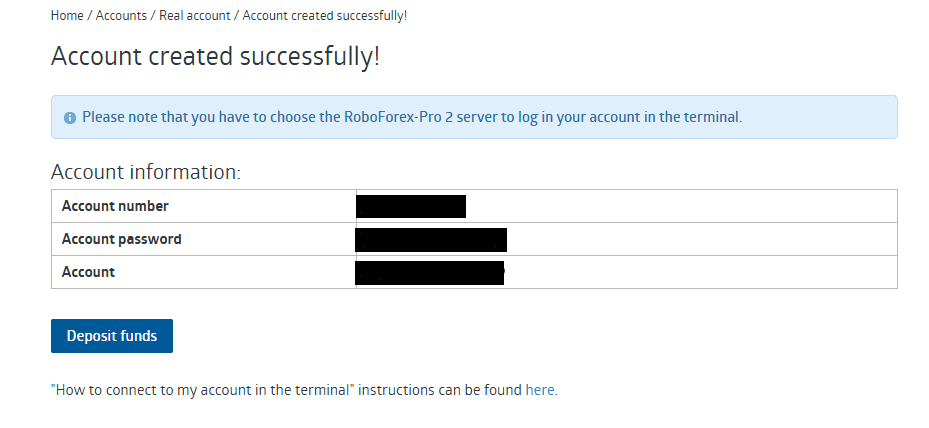
These credentials will also be sent to your registered email address. Keep them in a safe place.
Step 7: Add Your Account to the Service
- Go to the account connection section in our service.
- Select RoboForex as the broker.
- Enter your Login (account number) and Password.
- Select the correct Server from the list.
- Click Save.
If the credentials were entered correctly, the account will be successfully connected. If you encounter an error, double-check your login, password, and server settings.
About Leverage
Leverage allows you to control a larger position with a smaller amount of capital. For example, with 1:100 leverage and 100 USD on your account, your trade value is 10,000 USD. With 1:200 leverage and 100 USD, your trade value is 20,000 USD.
For first-time traders, we recommend starting with 1:100 leverage. Higher leverage increases both potential profits and potential losses.